
Sensitive work needs a clear boundary
Technical teams work on content that should not move casually between tools: incident notes, launch plans, customer reports, research, financial analysis, and internal training material.
The risk is not only where the document is stored. It is also how the team reviews it, who can see drafts, and which output becomes public.
GPDoc helps by keeping the source file, review workflow, and publishing path explicit.
Keep the source file visible
When a document lives in an open, versionable format, the team can inspect what changed. That makes review easier for engineering, security, legal, and go-to-market teams that need confidence in the final output.
GPDoc is designed around that source model. Documents, notebooks, slides, scripts, diagrams, and exports can stay connected to the workspace that created them.
Review without losing context
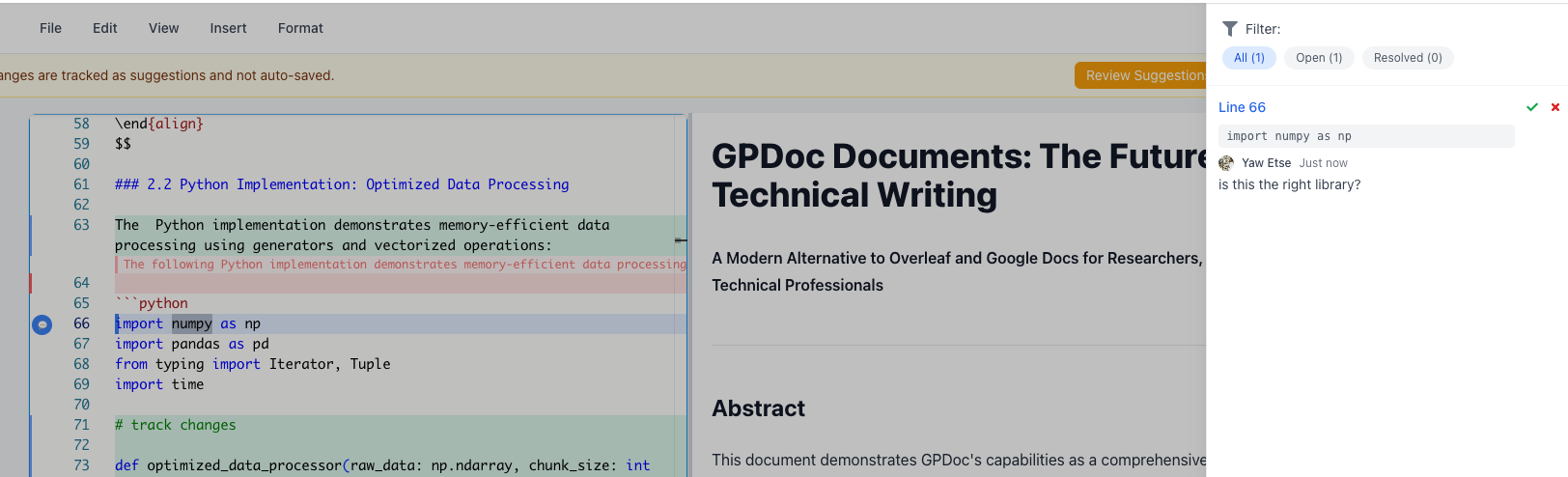
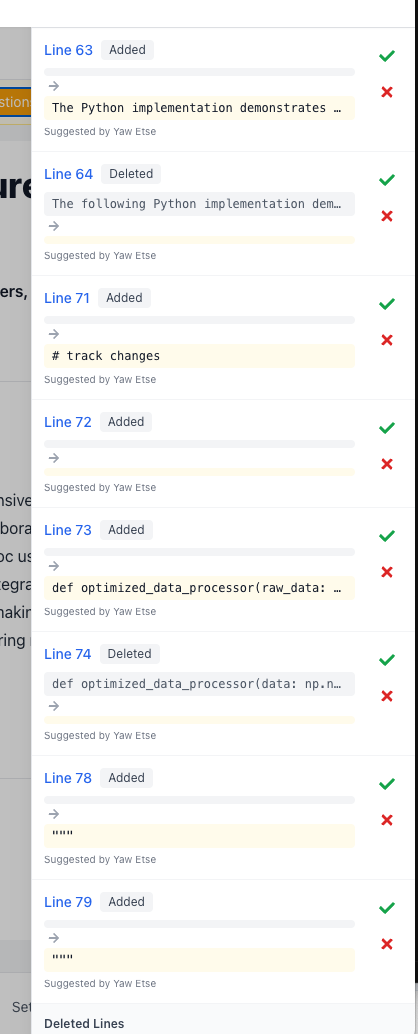
Comments and suggestions are most useful when they are attached to the content being reviewed. GPDoc keeps review close to the document source, so a reviewer can discuss a paragraph, diagram, code sample, or table without sending the work into a separate approval tracker.
Publish only what should ship
Not every draft should become public. GPDoc supports workflows where teams can export or publish a controlled version after review. The source remains available for future edits, while the output can be shared with the intended audience.
That model is useful for:
- Internal handbooks.
- Customer enablement guides.
- Technical papers.
- Training decks.
- Compliance and audit packets.
Practical privacy work is boring by design
The strongest privacy posture is usually a clear process: know where the source lives, know who reviewed it, know what was exported, and know where the next edit should happen.
GPDoc is built for teams that want that discipline without turning every content change into a separate operations project.
For related setup, see offline workspaces and secure offline docs.
Related reading
Read more
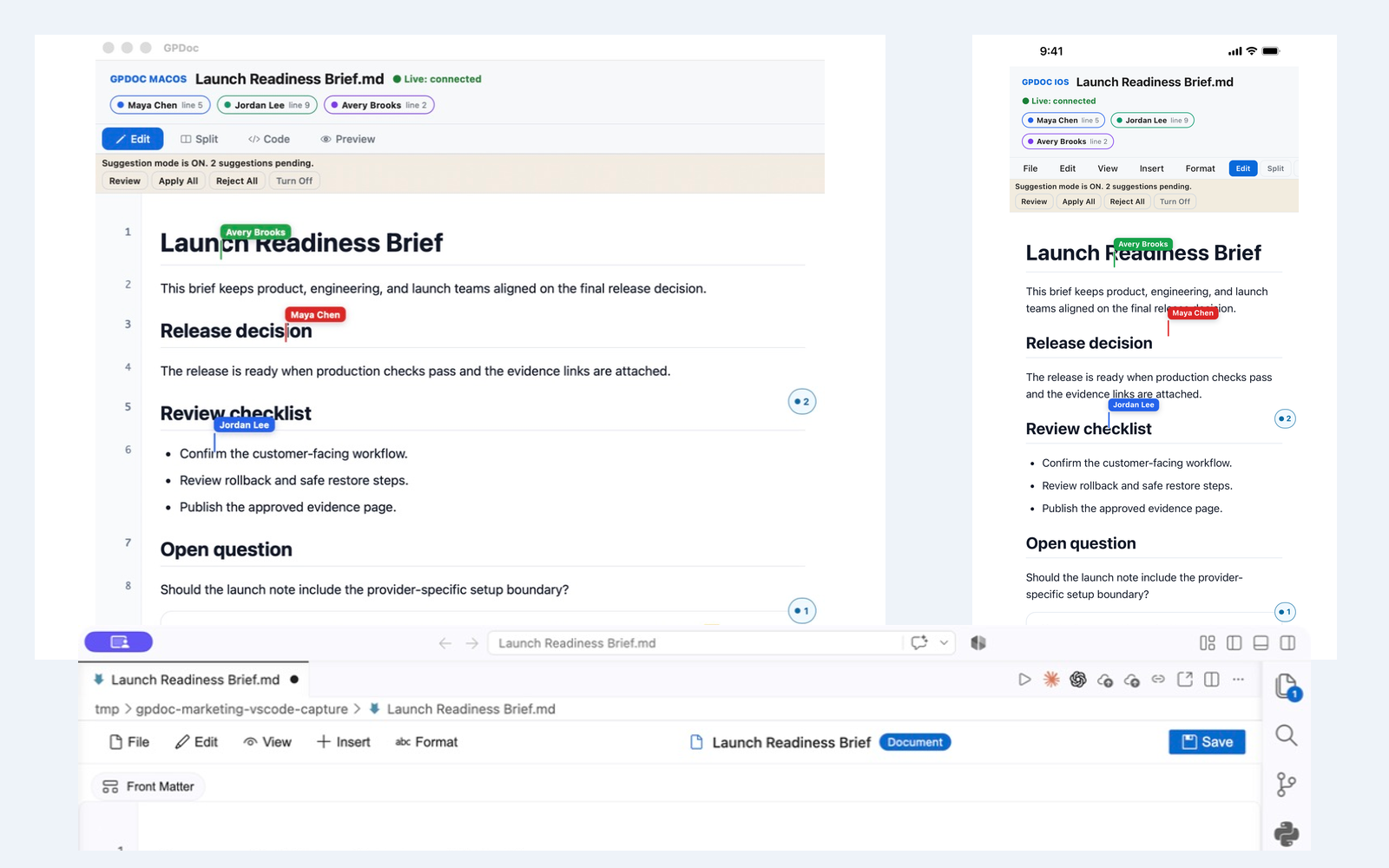
Live collaboration across web, VS Code, macOS, and iOS
Keep one open GPDoc file moving across supported surfaces while presence, cursors, comments, suggestions, and review state remain visible.
Read articleUse GPDoc with Google Docs and Slides
How technical teams can keep Google Workspace compatibility while moving technical source content into open GPDoc files.
Read articleLocal-file workspaces for technical teams
How GPDoc keeps open source files at the center while separating local editing from network-dependent services.
Read article