
GPDoc notebooks keep notes and executable code in one open file. A notebook can contain a Markdown cell, a TypeScript cell, and a Python cell in the same document.
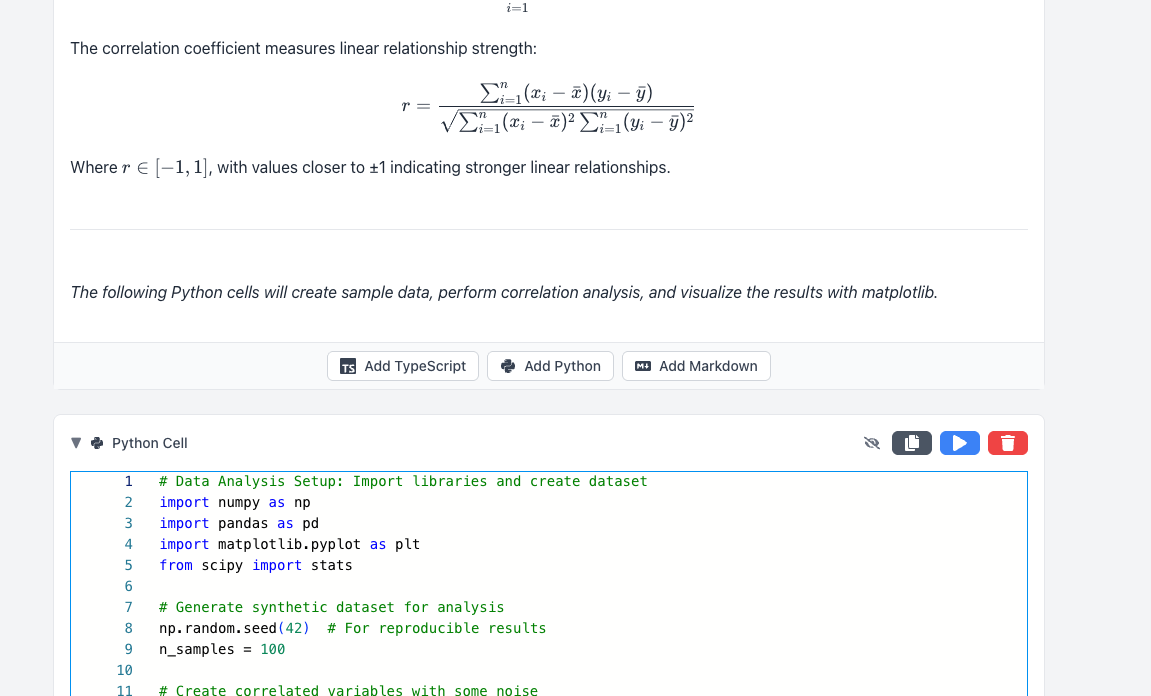
Cell types
- Markdown cell: headings, notes, links, tables, math, and diagrams.
- TypeScript cell: TypeScript or JavaScript executed in the browser runtime.
- Python cell: Python executed through Pyodide in the browser.
The runtimes execute on the current client and are not a hosted Jupyter server. Package availability and browser resources can affect what a cell can run.
Create and run a notebook
Create a Notebook from the GPDoc file picker or Maker. Add Markdown, TypeScript, or Python cells with the controls below the notebook.
Keep explanations in Markdown. Use a TypeScript cell for browser JavaScript or TypeScript work and a Python cell for Pyodide-compatible Python.
Use the run control on the selected code cell. Output stays with that cell in the notebook view.
Save the notebook, review changes, and add comments or suggestions where the current surface supports them.
Import an .ipynb file
- Open File > Import.
- Select a Jupyter Notebook (
.ipynb) file. - GPDoc converts Markdown cells and detects Python, JavaScript, or TypeScript code cells from notebook metadata and cell content.
- Review cell languages and outputs before running imported code.
Export an .ipynb file
- Open File > Export.
- Choose Jupyter Notebook.
- Save the
.ipynbdestination copy and open it in the target notebook tool to verify the result.
Notebooks can also use the formats exposed by the export window, including HTML, PDF, Markdown, LaTeX, and Microsoft Word. Export creates a copy; it does not replace the GPDoc source.

Run imported code deliberately
Review imported cells before execution. A notebook can contain code that reads data, allocates browser resources, or sends network requests allowed by the current runtime.
Next guide
Create structured documents and templates
Use Markdown, file data, variables, themes, and embedded GPDoc files to build reusable documents.