
Turn Markdown into a reviewable team document
GPDoc keeps accepted content in open, versionable Markdown while people and configured agents add review metadata around it. Reviewers can discuss a specific passage, propose a change, and preserve attribution without rewriting the file in a closed collaboration format.
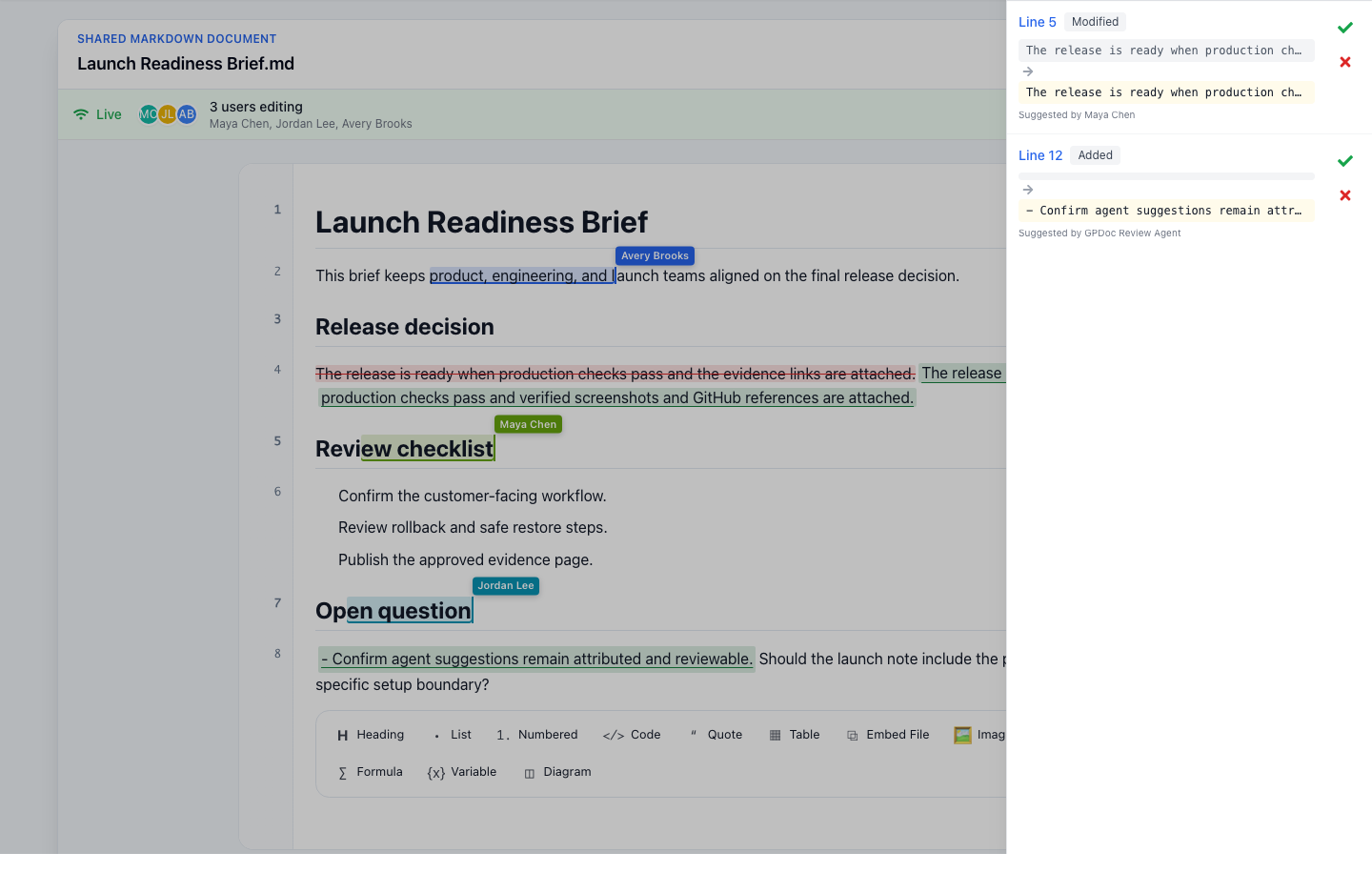
Comments stay anchored to the work
An anchored comment thread connects a question or decision to the relevant text. Participants can add replies, resolve a thread when the discussion is complete, and reopen the work when more review is needed.
Suggestions show the proposed change
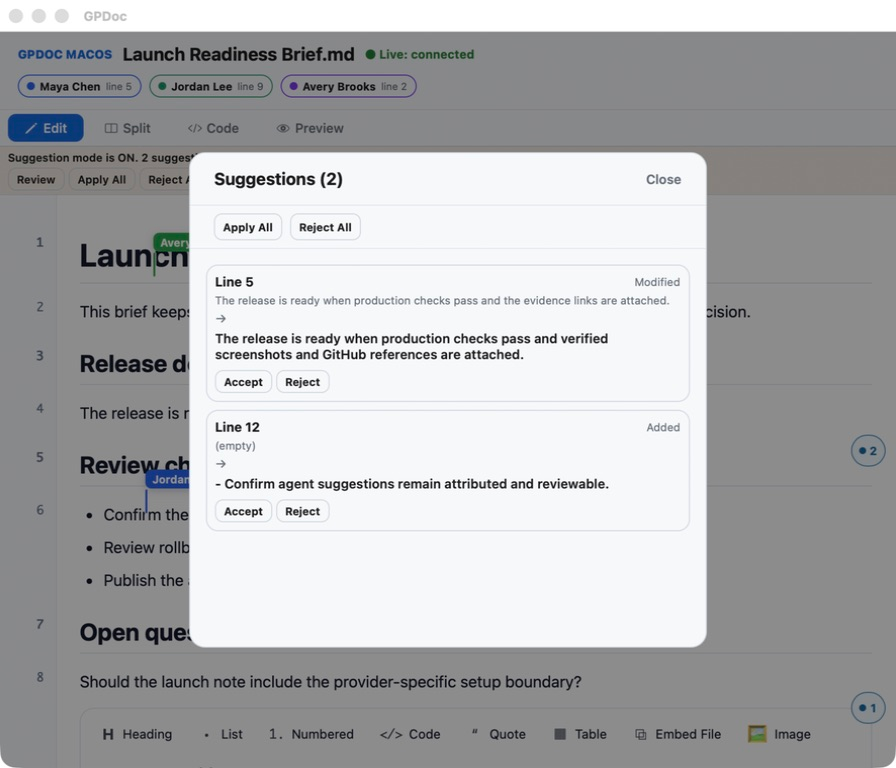
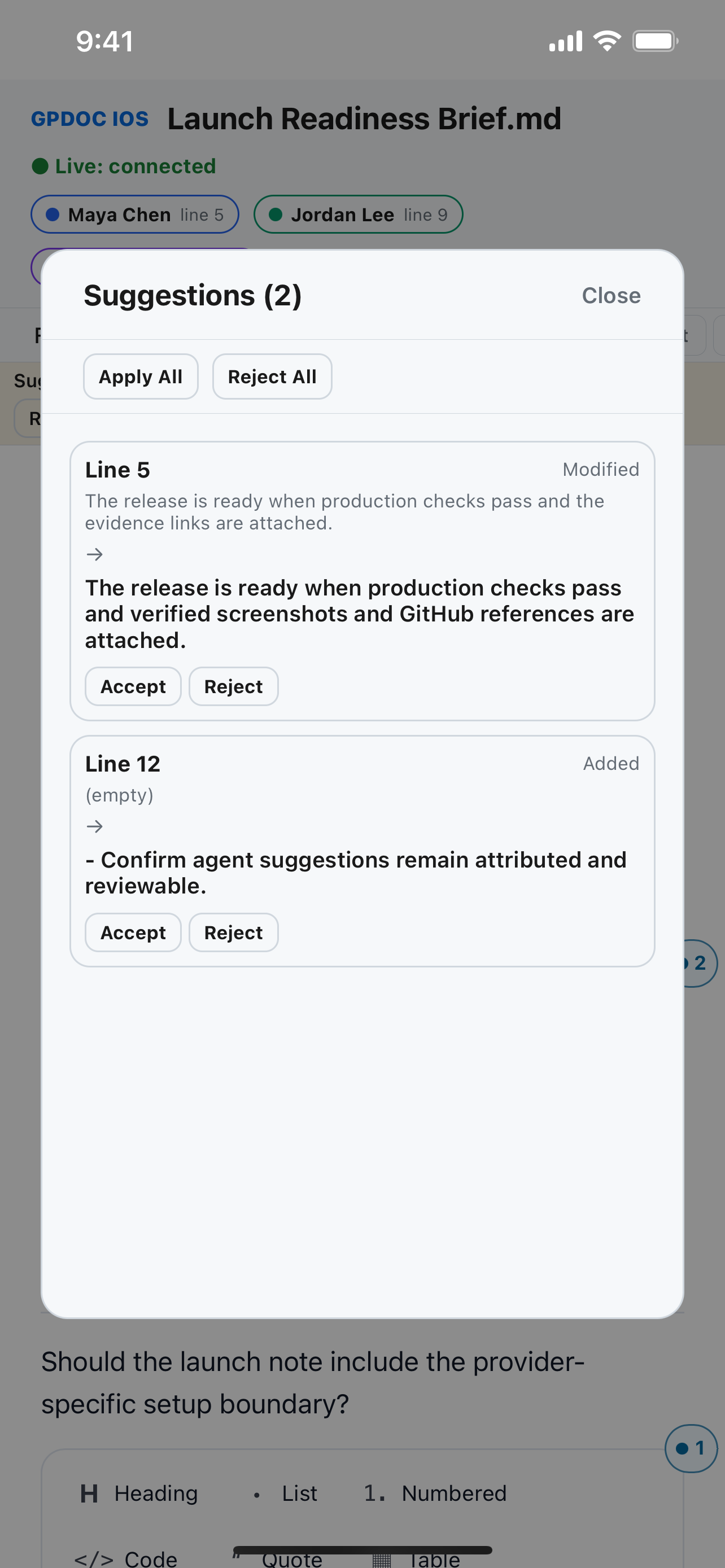
Suggestions record additions, deletions, and replacements beside the current document. Reviewers can inspect who proposed the change, then accept or reject it where that review action is supported. Human and agent suggestions use the same visible review model, while direct edits remain a separate action.
Roles keep actions explicit
Owner, editor, commenter, and viewer boundaries determine which collaboration actions a participant can take on a shared file. A configured agent receives only the actions exposed through its installed tool or MCP workflow. GPDoc does not assume that every agent is installed or authorized.
Open source remains the authority
Comments and suggestions add collaboration context around the document. Accepted edits remain in open, versionable Markdown that can still move through Git, export, publishing, and other supported GPDoc surfaces.
Review on web, macOS, and iOS
Reviewers can open the same Markdown work from the web, macOS, and iOS where the review control is available. Each surface keeps the document, attribution, and proposed change visible, while the exact controls and layout differ by client.
Start building in GPDoc or review live collaboration across devices when the workflow also needs simultaneous editing and presence.
Related solutions
Data science educators & enablement teams
Sharing browser notebooks
Keep Python or JavaScript and TypeScript code, captured output, and technical explanation in one GPDoc notebook, then export an open copy for review or reuse.
Consulting & customer success
Consulting deliverables with clearer source files
Build reports, presentations, notebooks, diagrams, and handoff material in open, versionable files with review history.