
Collaboration should follow the file
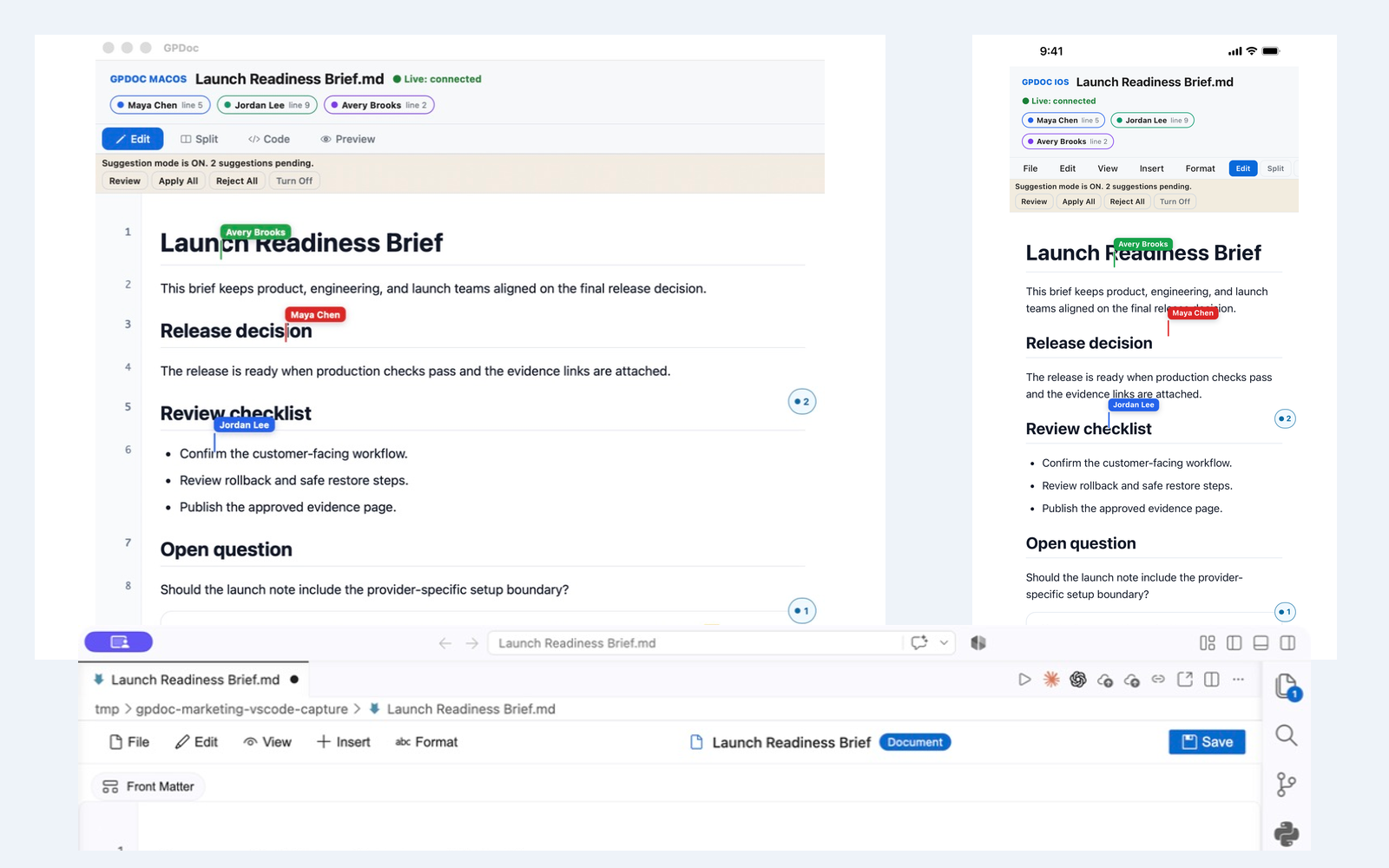
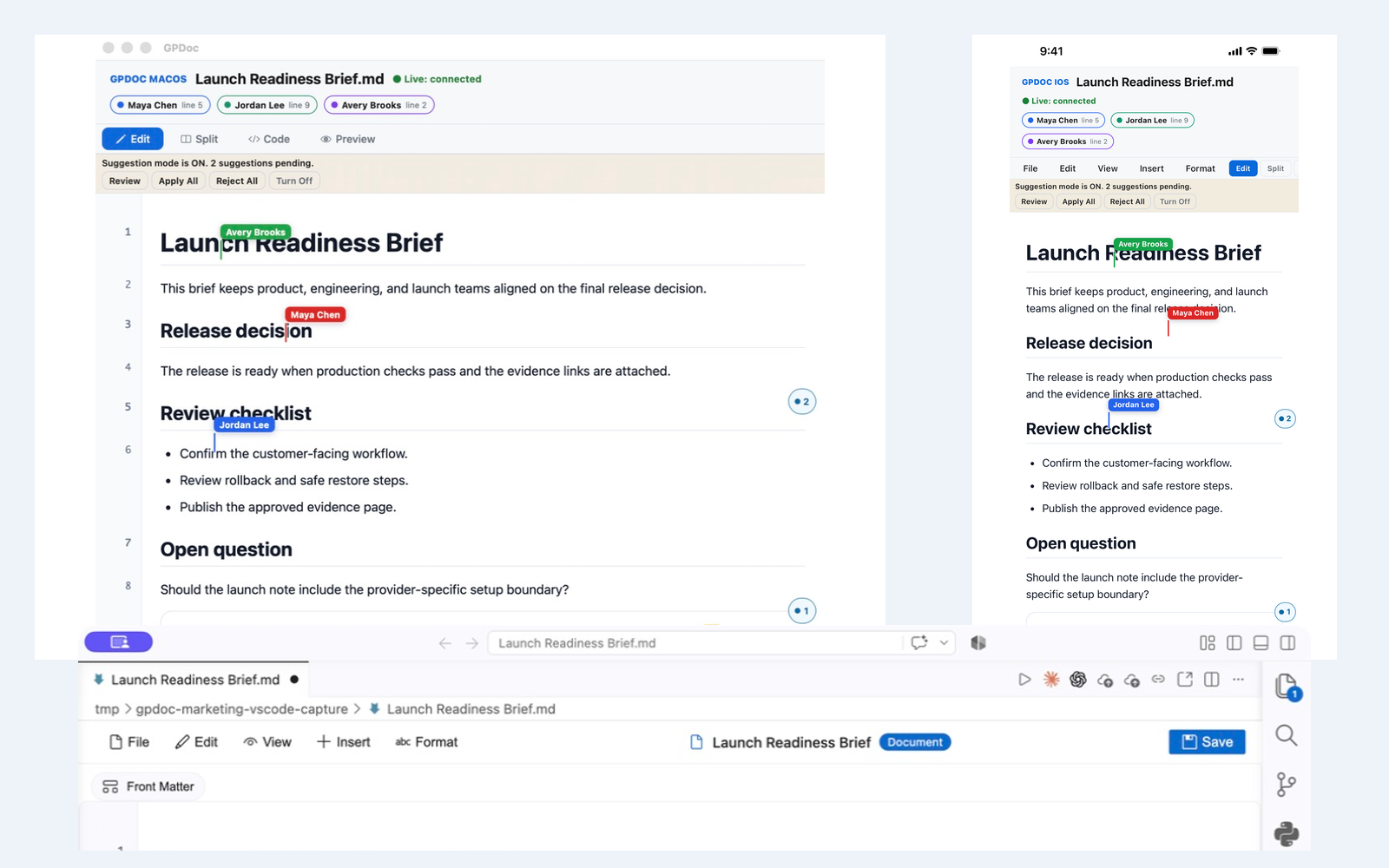
Technical teams do not spend the entire day in one application. A writer may start in the web app, an engineer may work in VS Code, and a reviewer may check the document from macOS or iOS. Collaborate Live keeps those participants connected to one open, versionable file.
The goal is not to make every interface identical. Each surface keeps the controls that fit its environment while the document, presence, and review context remain understandable.
What moves across supported surfaces
The shared workflow can include:
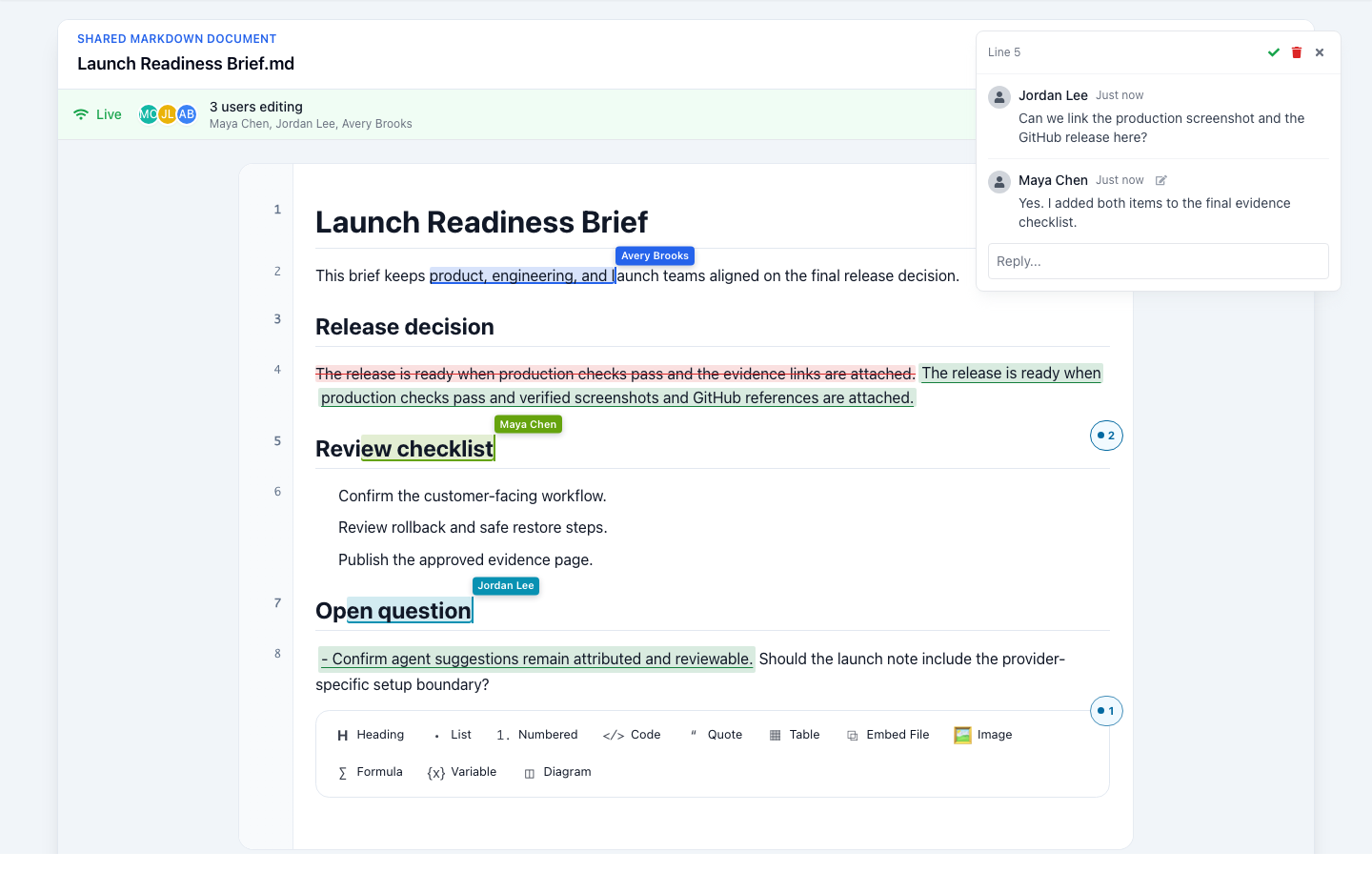
- Connected presence and named participants.
- Labeled cursors or selections that identify active work.
- Anchored comments and replies.
- Attributed suggestions for additions, deletions, and replacements.
- Role-aware access to editing, commenting, and viewing.
- Version history for preview and safe restore.
Web for the full workspace
The web app provides a direct route into the GPDoc workspace, shared files, provider workflows, publishing, and the current document. It is a useful starting point when the team needs the broader workspace around the editor.
VS Code for source-adjacent work
The GPDoc extension keeps Markdown work close to code, repositories, the Command Palette, and packaged MCP actions. Extension-host capabilities can differ between VS Code and compatible IDEs, so the installed host determines the exact command set.
macOS for a native desktop workflow
The macOS app keeps GPDoc close to local files and native platform controls. It can participate in the same named document and review workflow without pretending that the desktop interface matches the browser control for control.
iOS for review away from the desk
The iOS app supports reading, editing, and review work from iPhone or iPad where the named feature is available. The smaller surface changes how controls are presented, but it does not require a separate proprietary document.
Comments and suggestions keep collaboration reviewable
Live editing answers who is changing the file now. Comments and suggestions answer why a change is proposed and who should decide. People and configured agents can use those review paths where their role and installed tooling allow it.
Choose the next step
See the Collaborate Live solution for the full shared-file workflow. See Review & Comment on open Markdown for comments and suggested changes. Open GPDoc when you are ready to work in the product.
Related reading
Read more
Start with a context file AI can work from
Capture the decision, sources, constraints, and next action in one reviewable Markdown file before asking AI to help.
Read articleTeach code with browser notebooks and GPDoc files
Use GPDoc for lessons that combine explanation, executable code, diagrams, slides, and review.
Read articlePrivacy-aware review workflows for technical content
How GPDoc helps teams control source files, review paths, and published output for sensitive documents.
Read article