
Short version
GPDoc uses AI assistance as part of a source-controlled writing workflow. The source file stays readable, reviewable, and publishable after the assistant work is done.
AI should not become the system of record
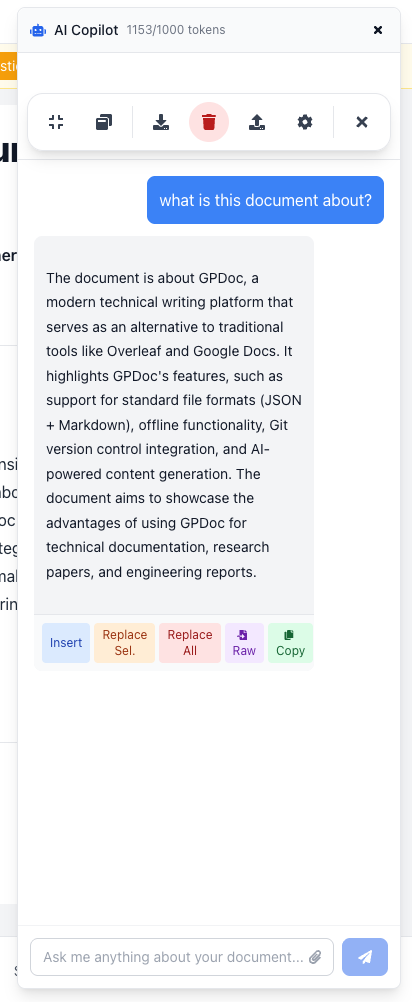
AI can speed up a first draft, but it can also leave teams with a weak handoff. A prompt history is not a durable document. A copied response is not a review process. A generated summary still needs structure, ownership, and a path to publishing.
GPDoc keeps that work inside the file workflow. Drafts, comments, suggestions, diagrams, code blocks, and publishing metadata live with the content instead of being split across chat, docs, and a release checklist.
A better loop for technical content
Use GPDoc for the parts of writing that need both speed and control:
- Collect the inputs. Start from release notes, support feedback, API changes, research notes, or notebook output.
- Draft in context. Use AI assistance to create a first pass while the document structure, headings, and source material stay visible.
- Review the source. Keep comments, suggestions, and edits close to the Markdown content so reviewers can see what changed.
- Publish from the same file. Export to Markdown, HTML, PDF, slides, or a static site without rebuilding the work in another tool.
Where it helps
This pattern is useful when the content is technical enough that copy and source need to stay together:
- Release notes that start from engineering changes.
- Customer onboarding docs that need product, success, and support input.
- Technical papers with math, code, tables, and diagrams.
- Training material that moves between notebooks, slides, and docs.
The goal is not to let the assistant own the work. The goal is to reduce repetitive drafting while keeping the team in control of the file, review, and publishing path.
Review still matters
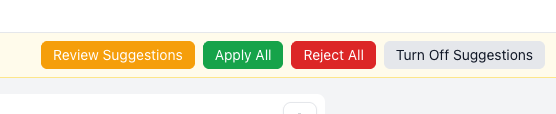
GPDoc is strongest when AI assistance is paired with normal review. A teammate can check the claim, update a diagram, revise a table, or approve a section before the content ships.
That makes the workflow easier to audit. The published output comes from the same GPDoc source file the team reviewed.
Start with one workflow
Start with a workflow that already has too much copy and too many handoffs:
- Release notes.
- A customer-facing guide.
- A technical onboarding checklist.
- A product launch brief.
Create the first draft in GPDoc, review it in the workspace, and publish from the same source file. Once that works, repeat the pattern for the next document.
For setup, start with the GPDoc docs or review the product launch solution.
Related reading
Read more
Build technical slides from GPDoc source
Turn docs, diagrams, code examples, and notebook notes into presentation material without losing the source.
Read articlePublish GPDoc content without copying it by hand
Move documents, notebooks, slides, and diagrams from source files to web pages, PDFs, and static output.
Read articleUse GPDoc beside Google Docs and Slides
How technical teams can keep Google Workspace compatibility while moving technical source content into open GPDoc files.
Read article